
3.1 KiB
3.1 KiB
title
| title |
|---|
| Dialog 对话框 |
在保留当前页面状态的情况下,告知用户并承载相关操作。
public class Dialog : ContentControl
属性
| 属性 | 描述 | 默认值 | 备注 |
|---|---|---|---|
| IsClosed | 是否关闭 |
附加属性
| 名称 | 说明 |
|---|---|
| Token | 用于设置消息标记 |
方法
| 名称 | 说明 |
|---|---|
| Show(object, string) | 显示承载内容 |
| Show(string) | 显示承载内容(自动实例化承载内容) |
| Close( ) | 关闭 |
| Register(string, FrameworkElement) | 为指定的元素注册消息标记 |
| Unregister(string, Panel) | 为指定的元素取消消息标记的注册 |
| Unregister(Panel) | 如果该元素注册了消息标记则取消注册 |
| Unregister(string) | 如果该消息标记有对应的元素则取消注册 |
案例
基本用法
<Border x:Class="HandyControlDemo.UserControl.TextDialog"
        xmlns="http://schemas.microsoft.com/winfx/2006/xaml/presentation"
        xmlns:x="http://schemas.microsoft.com/winfx/2006/xaml"
        xmlns:langs="clr-namespace:HandyControlDemo.Properties.Langs"
        xmlns:ex="clr-namespace:HandyControlDemo.Tools.Extension"
        xmlns:hc="https://handyorg.github.io/handycontrol"
        CornerRadius="10"
        Width="400"
        Height="247"
        Background="{DynamicResource RegionBrush}">
    <hc:SimplePanel>
        <TextBlock Style="{StaticResource TextBlockLargeBold}" Text="{ex:Lang Key={x:Static langs:LangKeys.PleaseWait}}"/>
        <Button Width="22" Height="22" Command="hc:ControlCommands.Close" Style="{StaticResource ButtonIcon}" Foreground="{DynamicResource PrimaryBrush}" hc:IconElement.Geometry="{StaticResource ErrorGeometry}" Padding="0" HorizontalAlignment="Right" VerticalAlignment="Top" Margin="0,4,4,0"/>
    </hc:SimplePanel>
</Border>
namespace HandyControlDemo.UserControl
{
    public partial class TextDialog
    {
        public TextDialog()
        {
            InitializeComponent();
        }
    }
}
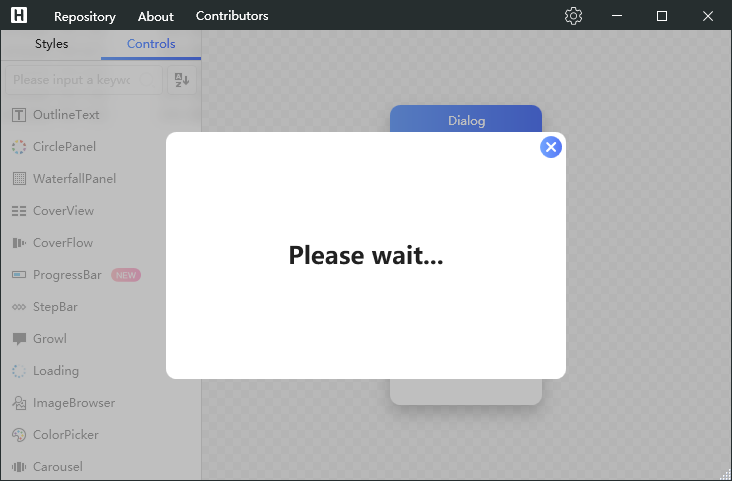
Dialog.Show(new TextDialog());
异步等待结果返回
通过Initialize扩展方法初始化vm后,可在此基础上使用GetResultAsync方法实现异步等待:
Dialog.Show<InteractiveDialog>()
    .Initialize<InteractiveDialogViewModel>(vm => vm.Message = DialogResult)
    .GetResultAsync<string>()
    .ContinueWith(str => DialogResult = str.Result);
更简单的异步方式
var d = Dialog.Show<ProgressDialog>();
await Task.Delay(5 * 1000);
d.Close();
弹框行为
如果在调用Show方法时,没有给定token参数,则默认会在当前激活的窗口弹框。如果token给定了值,内部会判断目标元素的类型,如果类型是窗口,则会在该窗口下的装饰层中弹出,否则会寻找目标元素的子元素,直到找到类型为DialogContainer的子元素,最后会在该子元素内部弹出。
<UserControl hc:Dialog.Token="DialogContainer">
    <hc:DialogContainer>
        // 内部控件
    </hc:DialogContainer>
</UserControl>